Navigating the Dashboard
The Dashboard is broken out into 8 man sections
Overall Campaign Performance Numbers
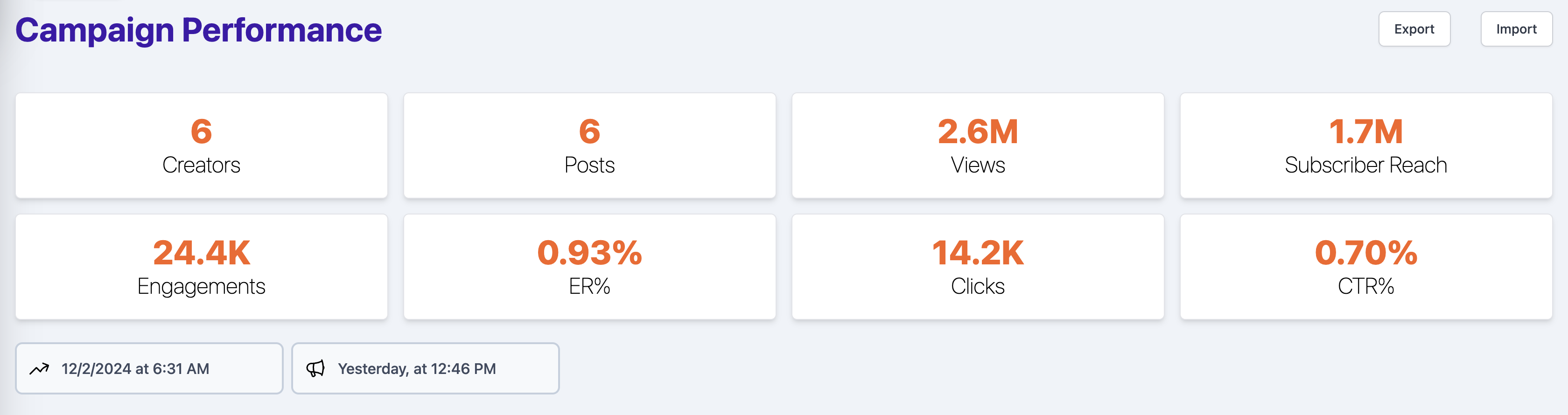
The Campaign Performance section will show you the current hero performance metrics of the campaign. You can always view when these metrics were last updated w/ the Time Stamp listed just below. Campaign Totals will be updated daily at: 12:30am, 6:30am, 12:30pm & 6:30pm.
Exporting Data
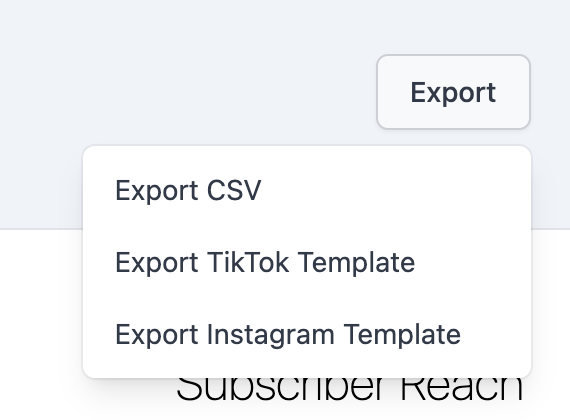
By clicking on export a user will have the ability to export:
- a CSV of all individual post data currently reflected by the campaign progress
- a template for paid TikTok media data ingestion
- a template for paid Instagram media data ingestion
Importing Data
It's best practice to download the template from the Export button for each platform to ensure that the column headers are correct. If they're wrong the data will fail to import
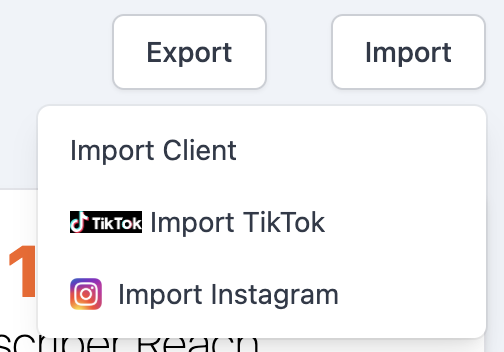
By clicking on import a user will have the ability to import:
- a CSV of all client paid TikTok media
- a CSV of all QYOU paid TikTok media
- a CSV of all QYOU paid Instagram media
Percentage to Goal
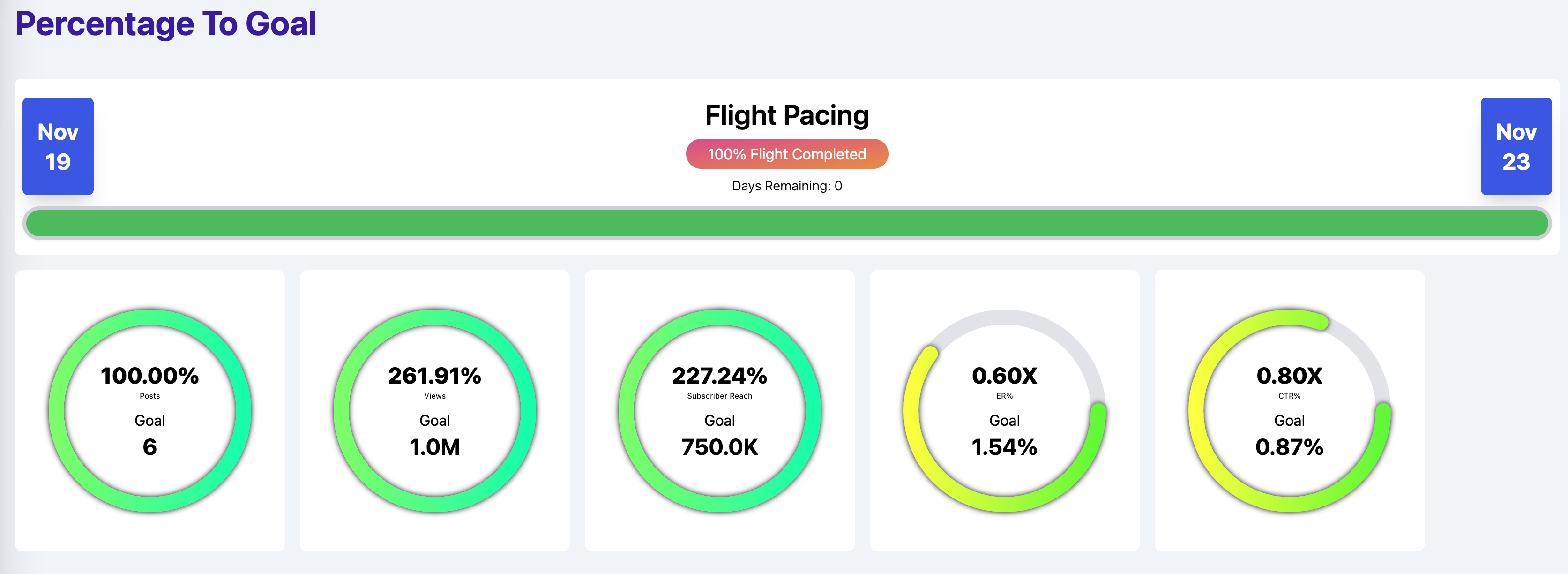
The Flight Pacing section will indicate if we are currently on track to deliver our KPI goals. You can find the campaign Start and End Dates above the campaign flight progress bar. View the Days Remaining and % Completed to see our progress to our Views Goal. The Progress Bar indicates if our Video Views % to Goal is pacing properly with the Campaign Flight Dates.
The progress bar changes color based off it's progress:
- If a campagin is on pace or ahead the baground will be blue.
- If a campaign is behind by 9% or less the background will be yellow.
- If a campaign is more than 10% behind the campaing bar will be red.
- If a campaign is completed and to goal the campaign bar will be green