Create a Campaign
Admin users have the ability to crate a campaign that will track the social stats of creators represneted within it's execution. At creation a user will asked to provide:
- the name of the campaign
- the organization
- the account manager
They will also be required to upload an image representing the campaign to ensure a better visual user experience.
Setting Goals
Once the campaign is created an admin will have the ability to set goals for the campaign. These benchmarks set will be tracked throught the campaigns lifetime to ensure KPIs are met.
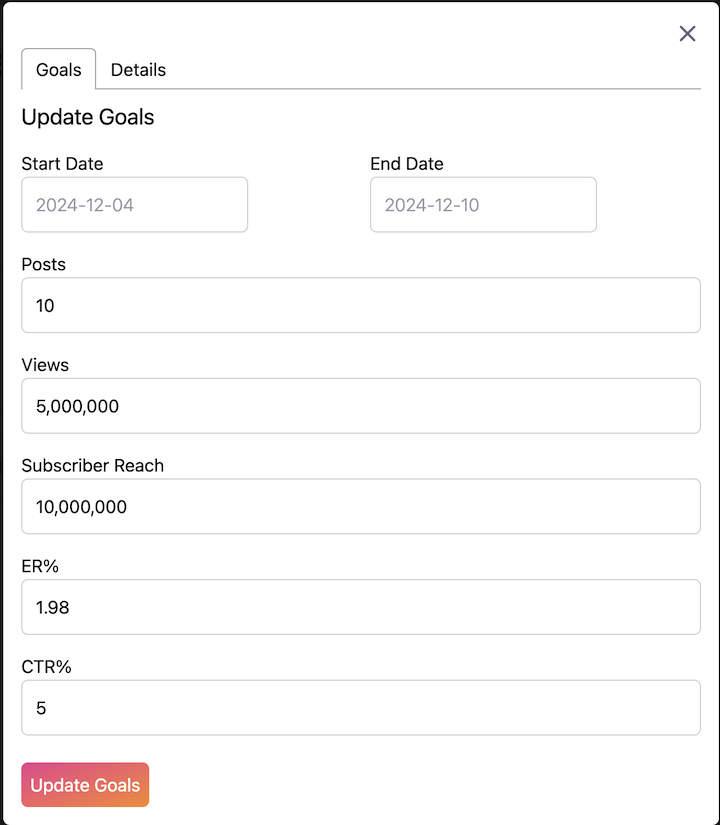
Admin users will be able to set the:
- Flight date of the campaign
- The amount of posts expected to go live
- Guaranteed views for the campaign overall
- The subscriber goals in aggreagate of every creator's platform
- The targeted engagement rate
- The targeted click through rate
Adjusting Campaign Details
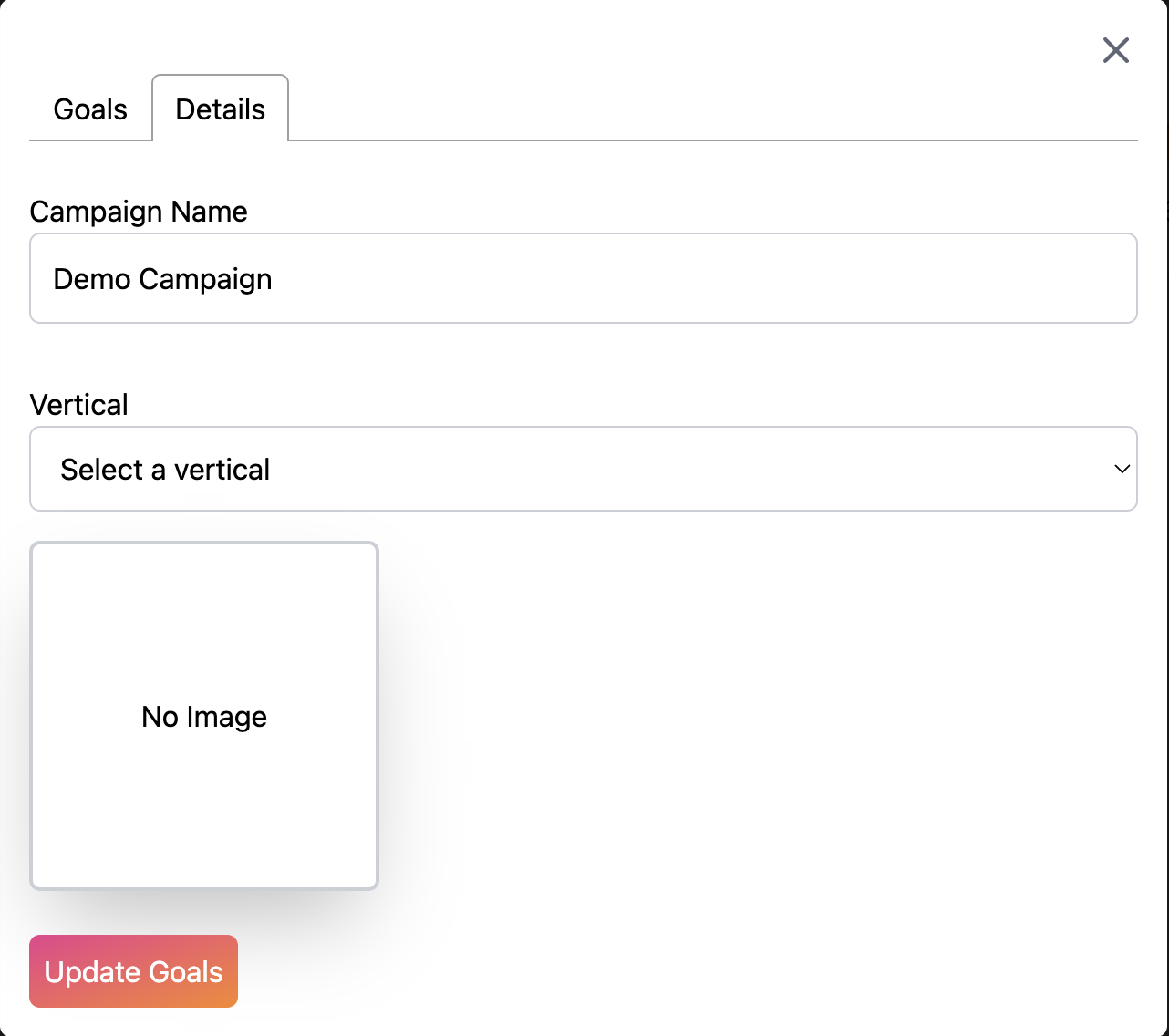
At any time an admin users will be able to change:
- The campaign name
- The campaign vertical
- Change the campaign image
Adjusting Campaign Status
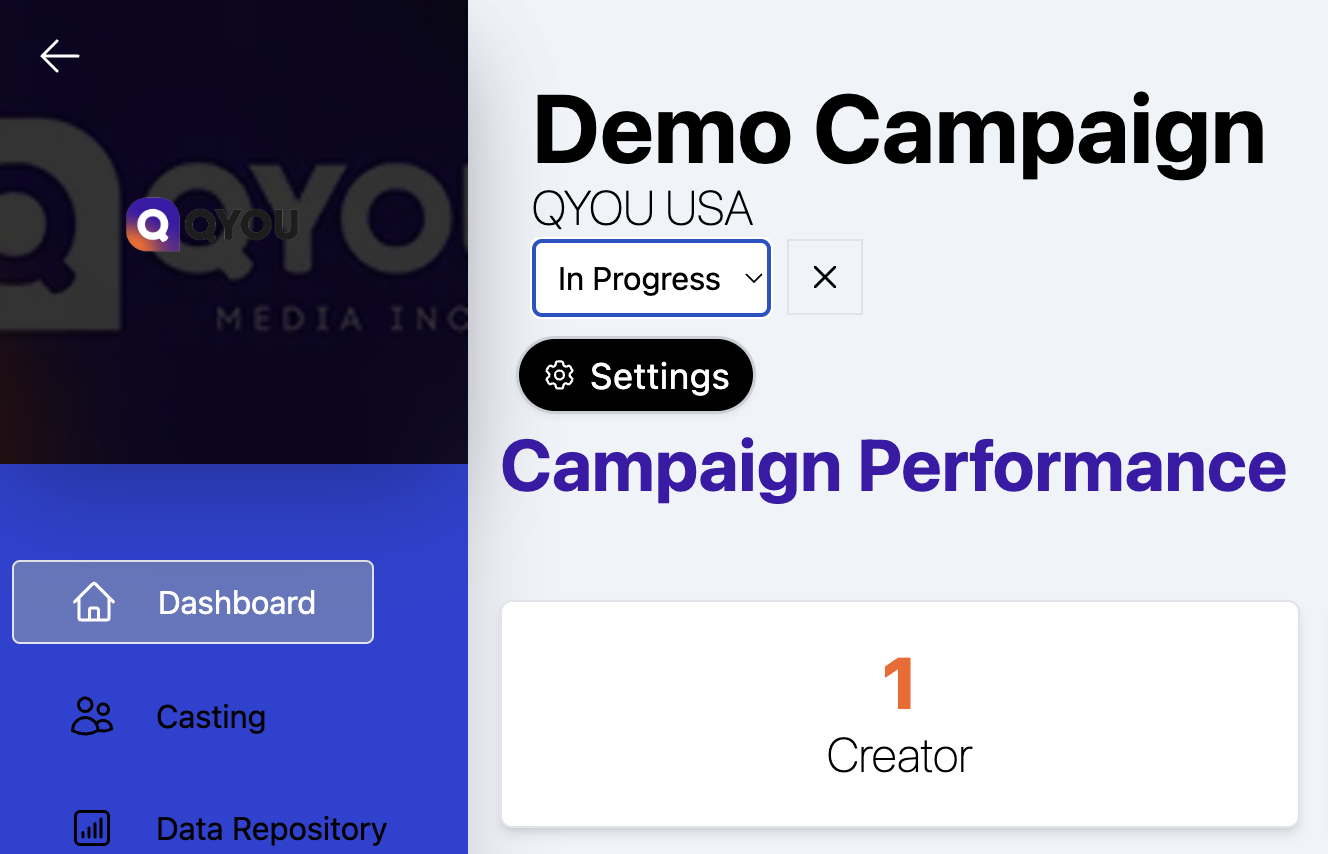
A campaign status is important to ensure that stat tracking is enabled. I campaign must be set to Live to ensure metrics are refreshed, and is set to Created by default.
The following statuses are available to admin users:
- Created
- In Progress
- Live
- Wrapped